
Reporting Integration

The Limina container can be configured to send reporting metrics to a logstash server. To enable this feature, the following environment variables can be added to the docker run command:
To run a container with these settings, the following command can be used:
Docker Command
The Logstash pipeline that the data is being sent to must be configured to able to accept JSON objects. A sample pipeline configuration that allows this would be:
Pipline Config

What is Being Sent?

When PAI_ENABLE_REPORTING is enabled in the container metering records will be sent to Logstash in batches, at 5 minute intervals. All records include the following fields:
The following meters are currently being used (one record per meter, per project ID):
If PAI_ENABLE_PII_COUNT_METERING is enabled in the container, meters for each entity found will also be sent. These meters contain the following fields:
If PAI_REPORT_ENTITY_COUNTS is enabled in the container, a record of the entities found and their counts for each unit of text processed will be sent. e.g.
Metering Records
would indicate that in a unit of text processed, the entity NAME was the best label two times, and OCCUPATION was the best label once.
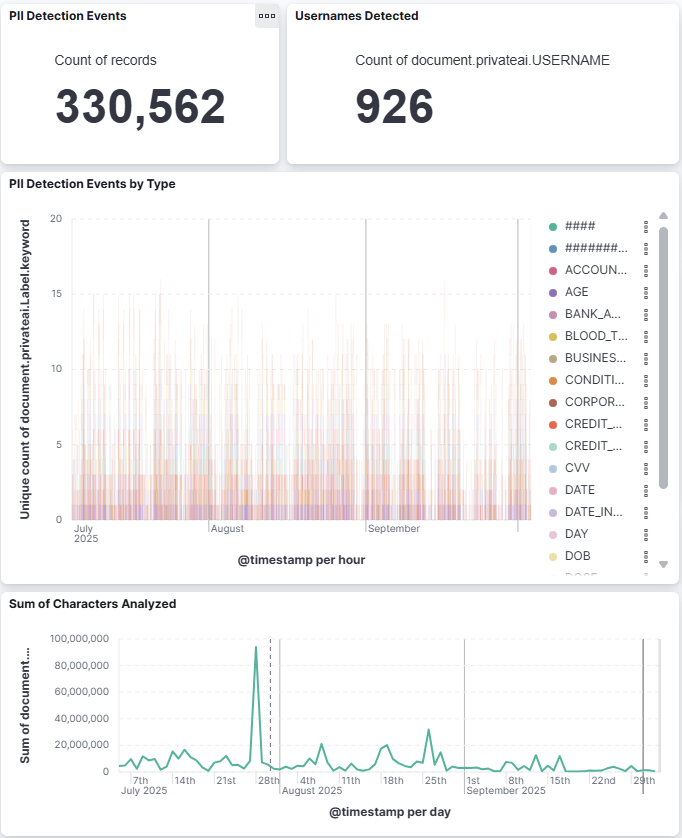
Example dashboard

Example dashboard

Reading Output

The following sections describe the typical field lists used when logs are forwarded to the Logstash server within the environment. These examples are provided as a reference for log analysis and field mapping configuration. It contains Limina internal debug information.